
Roadmap template
IT roadmap template for PowerPoint
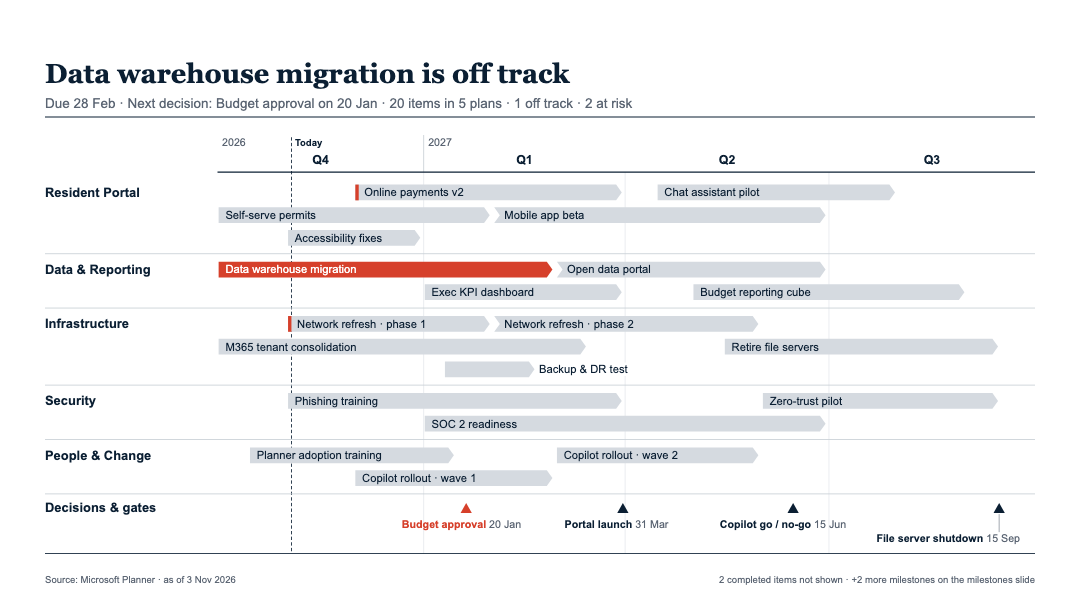
Open the template, replace the example projects with yours, and download a slide you can edit in PowerPoint. Projects by plan or team, quarters across the top, decisions and gates in their own row.
Opens in your browser, ready to edit. Sign in with Microsoft or Google when you download.
What the template shows
One slide to start, every part of it yours to change
- Rows by plan, team or initiative
- Projects as bars across the quarters you pick
- Status of On track, At risk, Off track or Done, with what needs attention named in the title
- Decisions, budget gates and go-lives as milestones
- A Portfolio status slide: one row per plan with progress and the next date
Pick a look (Light, Colour, Warm paper or Dark), a variant (Exec summary, Full detail, Outcomes or Headline) and one of six layouts. Edit the grid under the slide and the slide redraws as you type.
For IT leaders, PMOs and portfolio leads with a monthly steering or council update.
How it works
- Open the templateIt opens on example rows. Type over them, add your own, or import an Excel or CSV file.
- Shape the slideChoose rows, filters and the quarters it covers. Fix titles, dates and statuses in the grid.
- Download for PowerPointSign in and the slide downloads as an editable .pptx. Next month, change what moved and download again.
Questions
Can the IT roadmap come from Microsoft Planner?
Yes. Connect Planner, tick your plans, basic or premium, and the template's slide is drawn from them. Planner is read again on its own, so dates and progress stay current, and your titles and statuses stay through every refresh.
Can several projects or plans share one timeline?
Yes. Each slide shows one row per plan, team, initiative or another column, and tasks can roll up into one bar per initiative.
Is the downloaded file editable?
Yes. The slide is built from native PowerPoint shapes and text, so every bar, label and title stays editable. It can also be downloaded as a PNG image.
Do I need to sign in to use the template?
The template opens in your browser and you can edit it right away. Sign in with Microsoft or Google when you download; your edits come with you and are saved to your account.
Make your it roadmap slide
Open the template, make it yours, download for PowerPoint.
Other templates: Product roadmap · Project roadmap