 QuickBooks Timesheet Sync
for Jira & Tempo
QuickBooks Timesheet Sync
for Jira & Tempo
QuickBooks Timesheet Sync
for Jira & Tempo
QuickBooks Timesheet Sync
for Jira & Tempo
Engineers log time in Jira and Tempo. Finance bills from QuickBooks Online. Every worklog lands in QuickBooks as a time activity — on the right customer, the right project, the right employee — minutes after it's logged.
For Jira Cloud · QuickBooks Online Plus or Advanced
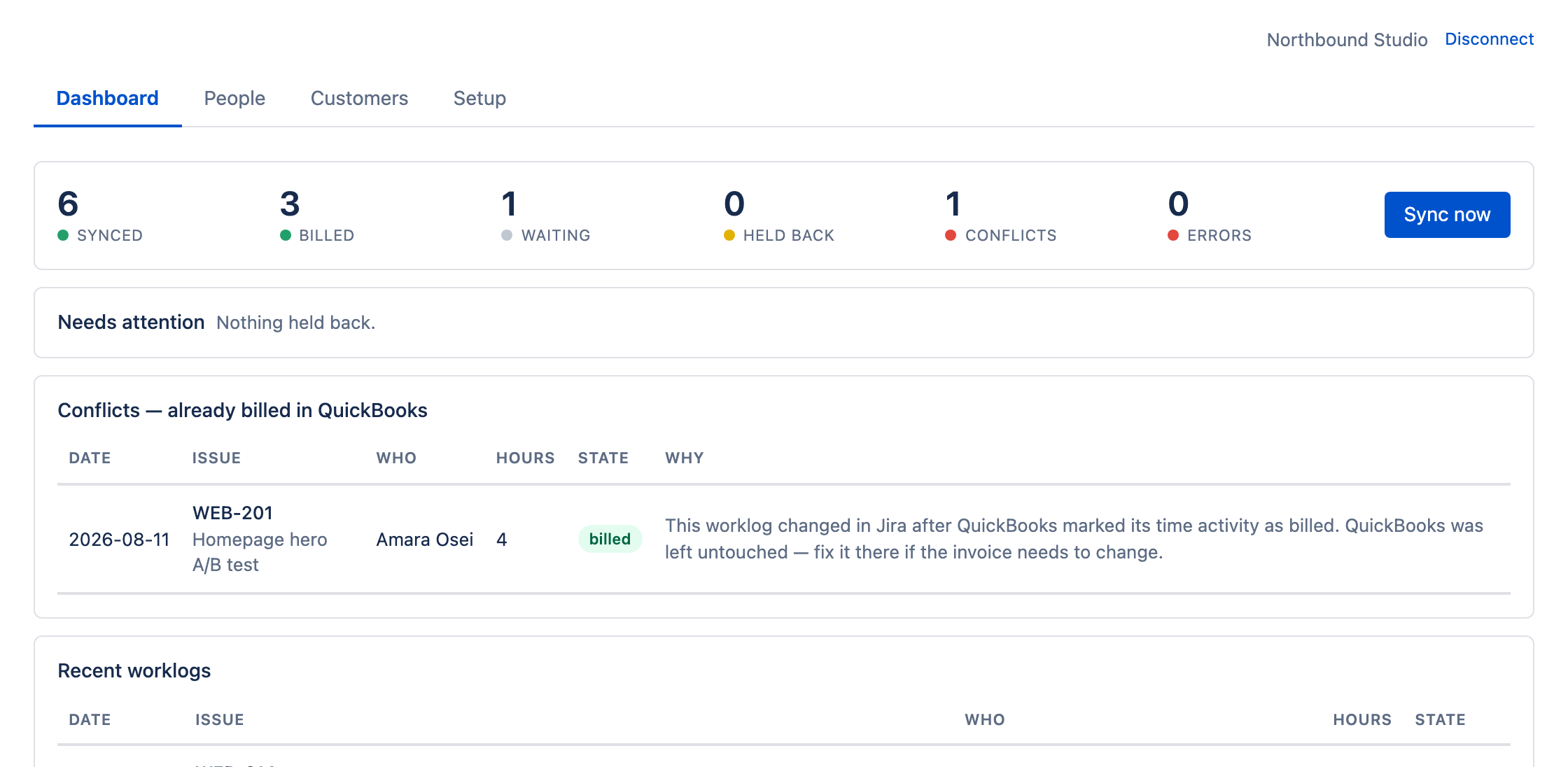
It moves time. It doesn't invoice for you, and it won't touch anything you've already invoiced.
Map it once. After that, worklogs are picked up and written to QuickBooks as time activities within minutes — attached to the matching customer, sub-customer project and employee. Or push on demand with one button.
Customers, projects, employees and service items come straight from QuickBooks. Add a client there today and you can map work to them here tomorrow. Hourly rates stay in QuickBooks, so there's one place to maintain them.
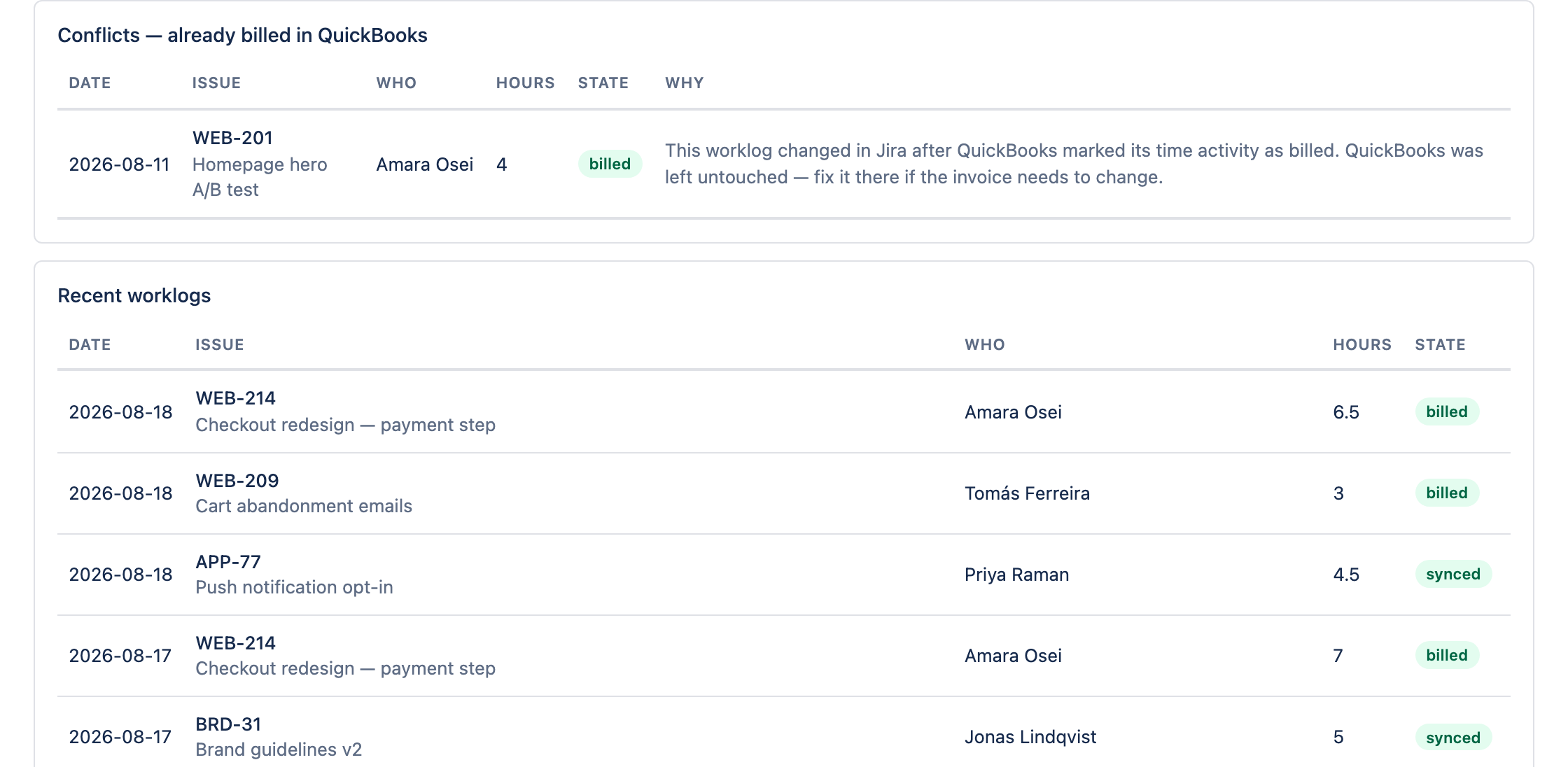
Once QuickBooks marks an hour as billed, the app stops writing to it. Edit that worklog in Jira and nothing is overwritten — you get a conflict you can see, and the invoice stays exactly as it went out.
Three screens, and then it runs. Everything below is the actual app.
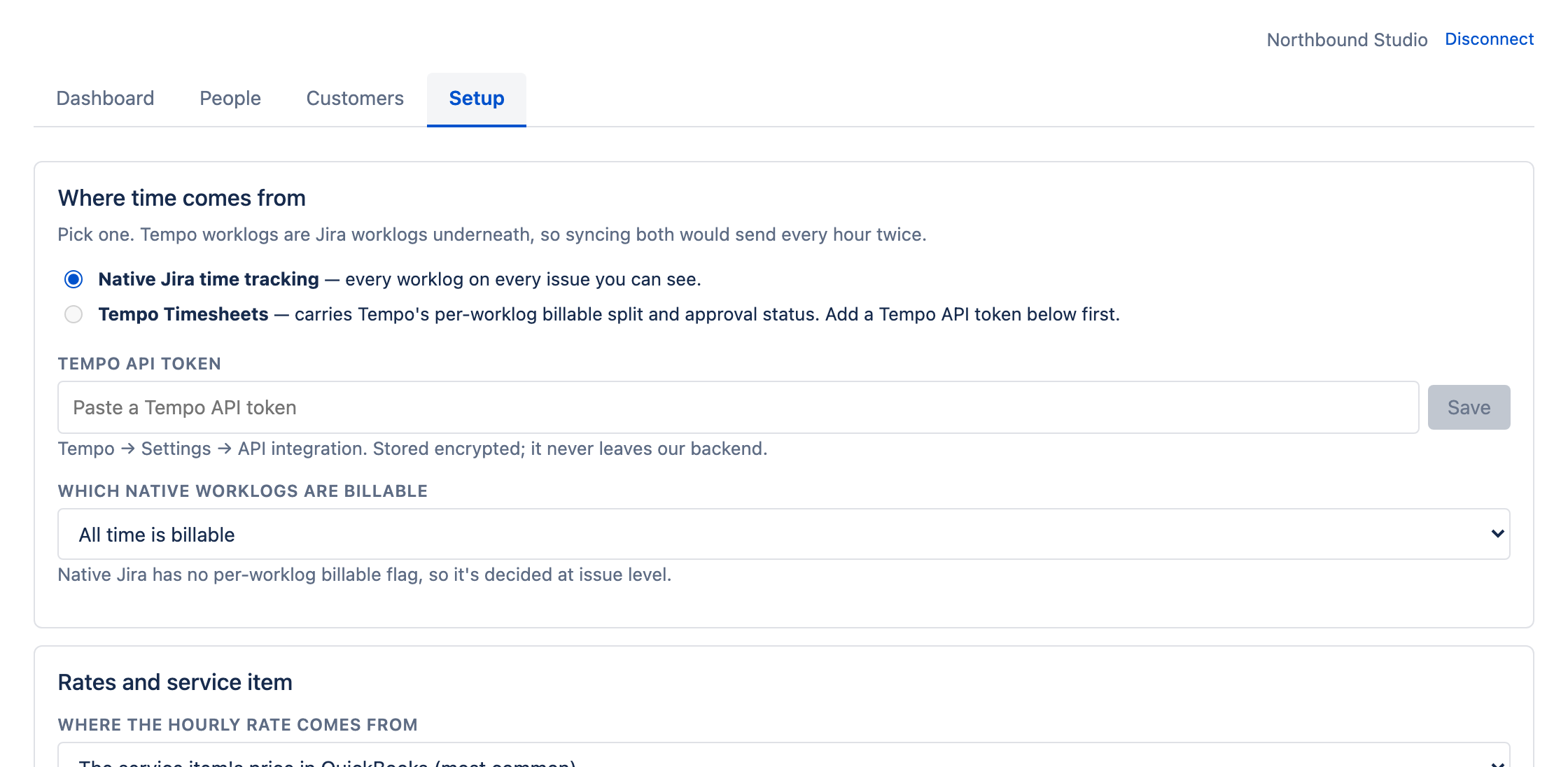
Native Jira worklogs or Tempo Timesheets — one or the other. A Tempo worklog is a Jira worklog underneath, so running both would send every hour twice; the app won't let you.
Then decide what counts as billable, and whether the hourly rate comes from the customer or from the service item's price in QuickBooks.
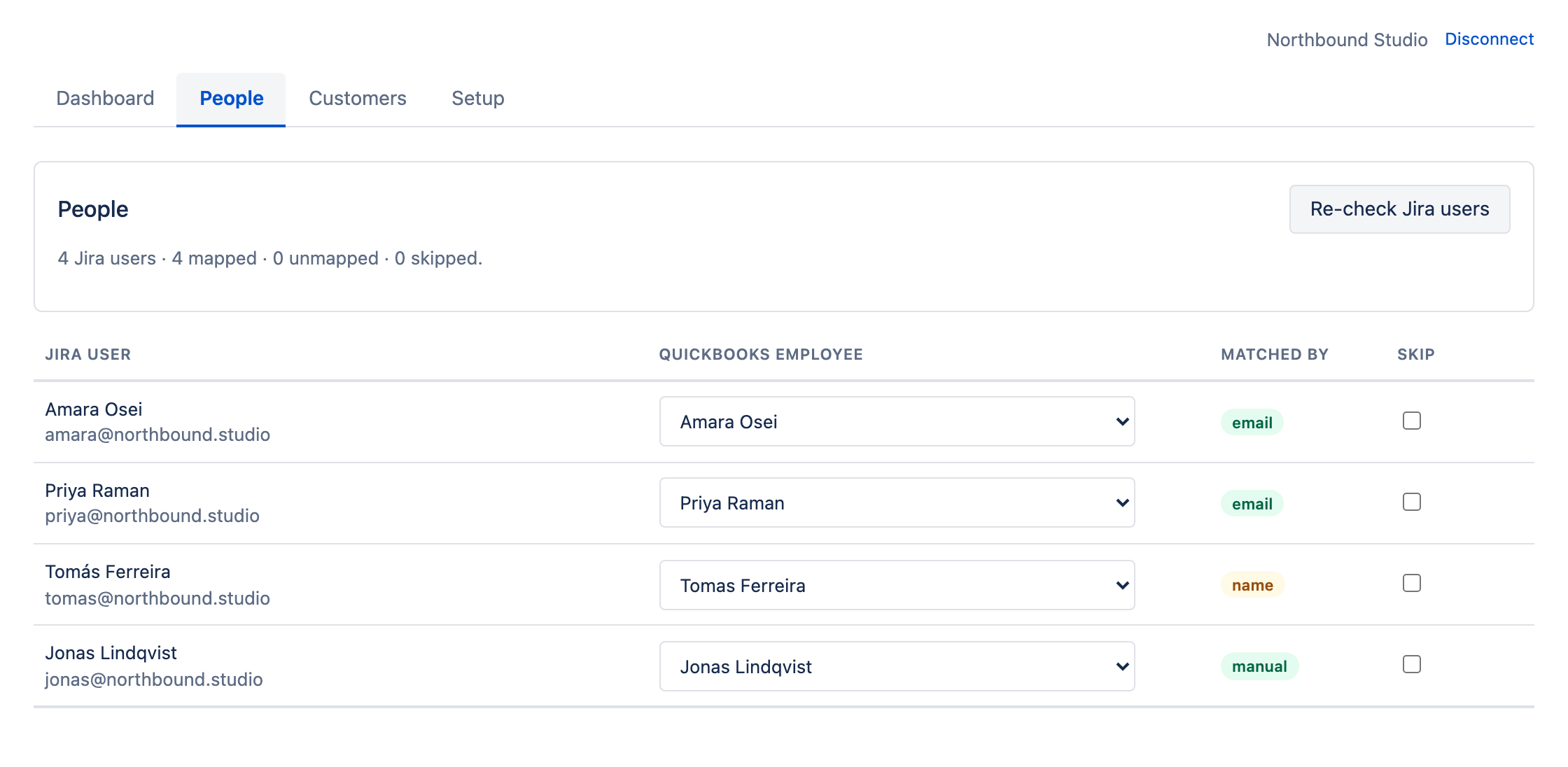
Jira users line up against QuickBooks employees automatically, by email. The app tells you how it matched each one — by email, by name, or because you set it yourself — so you only spend attention on the ones it wasn't sure about.
Anyone who shouldn't sync at all gets skipped in one click.
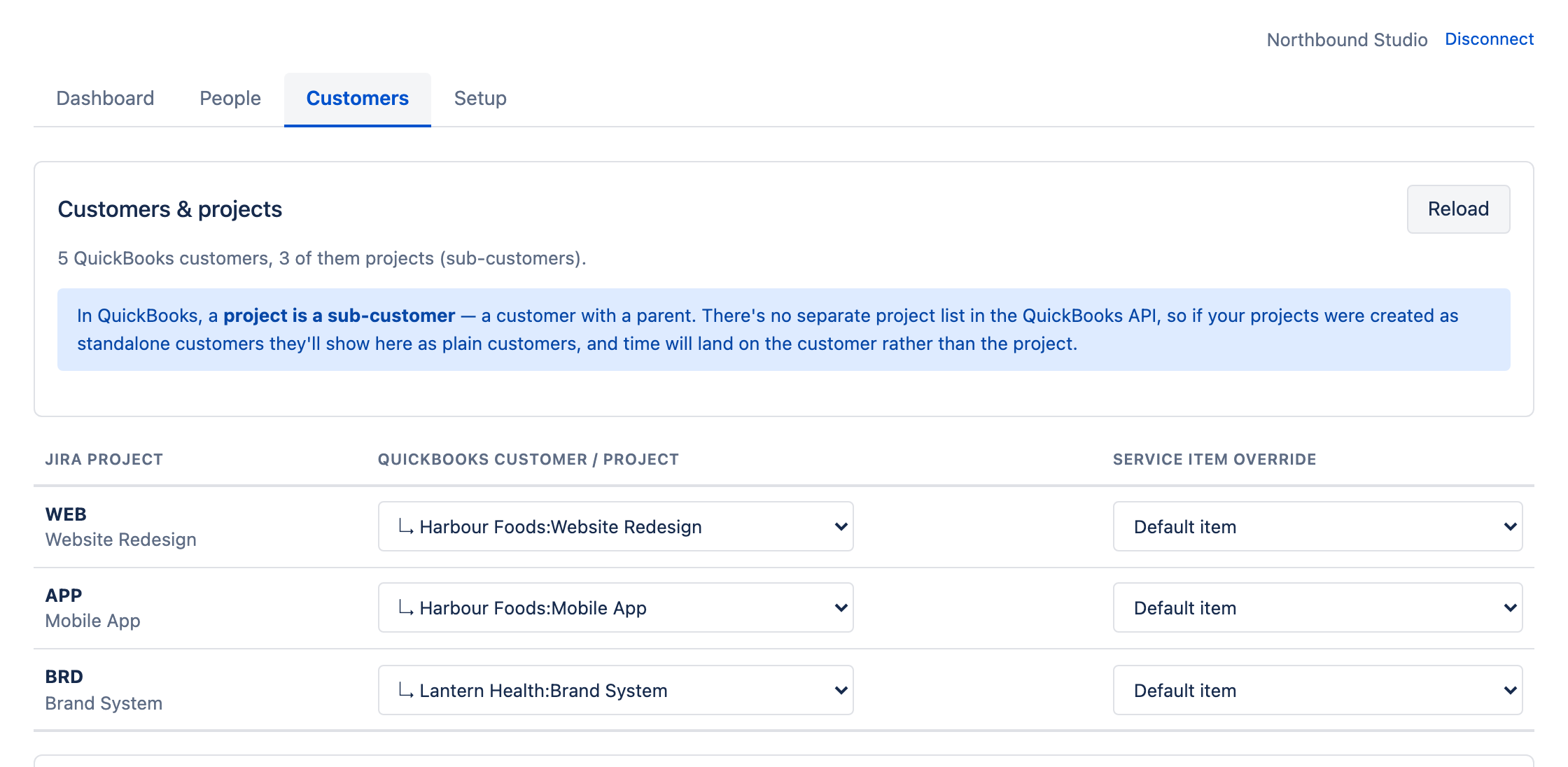
In QuickBooks a project is a sub-customer — a customer with a parent. Map a Jira project to one and the time lands on the project, not just on the account.
One epic billing somewhere else? Add a per-issue override and it wins over the project rule.
QuickBooks tells us when an hour has been added to an invoice. From that moment the app stops writing to it. If someone edits the worklog in Jira afterwards, the time activity is left exactly as it was and the change is raised as a conflict, with the reason in plain English.
The same status shows on the Jira issue itself, so people can see an hour is locked before they touch it.
Most teams already have a way to do this. It's a person.
No, and that's deliberate. It writes time activities — the billable hours that sit underneath an invoice. You invoice in QuickBooks, from that time, with whatever workflow you already use. Invoicing is a decision with pricing, discounts and terms in it; that belongs to whoever owns the books.
Both — but one at a time. A Tempo worklog is a Jira worklog underneath, so syncing both would send every hour to QuickBooks twice. You pick a source at setup and the app enforces it.
Tempo gives the cleaner result, because it tracks billable time per worklog and has an approval concept, so time can be gated on approval. With native Jira, billable is decided at issue level — all time, no time, by label, or by project.
QuickBooks models a project as a sub-customer — a customer with a parent. There's no separate project list in the QuickBooks accounting API. Set your projects up that way and they appear in the mapping screen automatically, marked as projects. If they were created as standalone customers they'll show as plain customers, and time will land on the customer rather than the project.
Nothing gets overwritten. Once QuickBooks marks a time activity as billed, the app stops writing to it, and the edit is raised as a conflict with the reason spelled out. The Jira issue panel shows the hours as billed, so people can see they're locked before they edit them. If the invoice genuinely needs to change, you change it in QuickBooks — where the audit trail is.
From QuickBooks — either the customer's rate or the service item's price, your choice at setup. You never maintain rates inside Jira, so there's one place to change them and no chance of the two disagreeing.
QuickBooks Online Plus or Advanced — the plans that include project and time tracking. Simple Start and Essentials don't support the time-activity model, and the app checks your plan when you connect rather than failing later.
No. The app is read-only in Jira: it reads worklogs and issue data, and it never creates, edits or deletes anything. The billed status you see on an issue is rendered by the app's own panel, not written into your worklog.
Cloud only.
Connect your QuickBooks company, match your team in a couple of minutes, and the next worklog is already on its way to the books.