
Microsoft Planner’s roadmap is the Roadmap tab inside Portfolios. It holds premium plans only, shows one row per plan, and Microsoft documents no way to export it or put it on a slide. The old Roadmap app from Project for the web was retired on August 1, 2025. If you run basic plans, there is no Planner roadmap for them at all. If you need the roadmap in a leadership deck, you redraw it by hand. This page covers what Microsoft ships today, where the limits sit, and how to build a roadmap slide from the plans you already have.
Where is the roadmap in Microsoft Planner?
In Portfolios. A portfolio groups several premium plans, and its Roadmap tab is where, in Microsoft Support’s words, you “view your portfolio of plans and their associated tasks as a visual timeline.” You can add key dates in the Roadmap tab header. Each plan in the portfolio becomes its own row.
Three conditions come with it, all from the same Microsoft page:
- Premium plans only. “Portfolios give you a consolidated view of all your premium plans and tasks; basic plans aren’t currently supported.”
- A Plan 3 or Plan 5 license to edit. Planner and Project Plan 3 or Plan 5 users can edit portfolios. People on Planner in Microsoft 365 or Planner Plan 1 can view portfolios shared with them, read-only.
- One row per plan. “Each plan that you’ve added to your portfolio will automatically appear as a distinct row in the roadmap view. You cannot create multiple rows for the same plan.”
What happened to the Project for the web Roadmap?
It was retired. Microsoft Support states: “As of August 1, 2025, Microsoft is retiring Project for the web and the Roadmap experience,” with users redirected to Planner. The Planner Blog announcement adds the details that matter if you had roadmaps there:
- Planner “will not support opening Roadmaps.” Microsoft recommends re-creating them as Portfolios. The old roadmap data stays in Dataverse.
- “Portfolios in Planner will not support adding rows for Azure DevOps or Project Online.”
- Existing Roadmap tabs in Teams stop opening, and “Users are not able to pin Portfolios as a tab in Teams.”
So a team that used to keep a roadmap tab in a Teams channel, or mixed Azure DevOps rows with plans, has nothing in Planner that does the same job. Reporting moved the same way; Planner Premium reporting after Project Online covers what carries over.
Do basic Planner plans have a roadmap or timeline?
No. Microsoft’s basic vs premium comparison lists “View tasks in Timeline (Gantt chart)” as premium only, and Portfolios don’t accept basic plans.
Converting a basic plan to premium is possible, one plan at a time and with a premium license. Can Planner Portfolios mix basic and premium plans? covers the conversion path, its limits, and when paying for premium really is the simplest answer.
Can you put a Planner roadmap in PowerPoint?
Not from Planner. Microsoft’s portfolio documentation lists no export, print or PowerPoint option for the Roadmap tab. Planner’s own export, “Export plan to Excel,” works on one plan at a time and gives you rows, not a picture.
That leaves the monthly routine many PMOs know: screenshot the portfolio, or copy plan dates into PowerPoint and redraw the bars, then do it again when the dates move. Leadership reads the slide, so the slide is what has to be right.
How to build a roadmap slide from your Planner plans
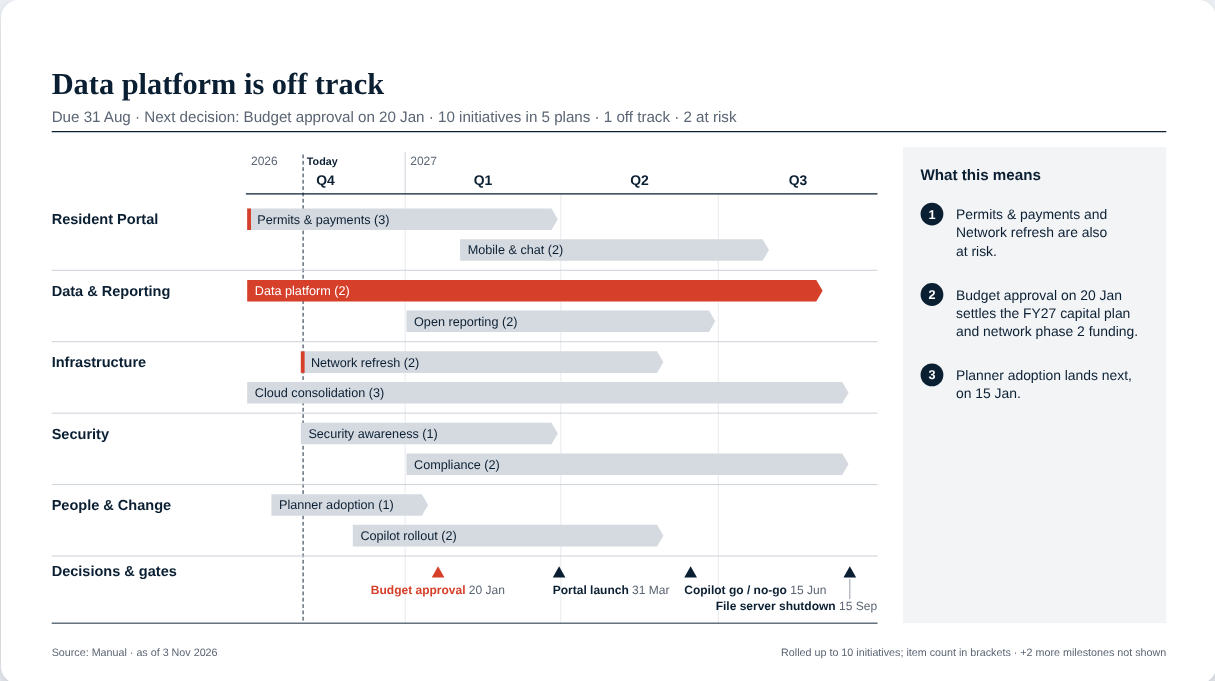
Roadmap Slides builds the slide from the plans you already have. Sign in with your Microsoft work account, tick the plans, basic or premium, and it builds a roadmap with one row per plan. Then:
- Pick a layout per slide: Timeline, Now Next Later, Quarters, Milestones, Status or Phases.
- Pick a variant and a look: Exec summary, Full detail, Outcomes or Headline; Light, Colour, Warm paper or Dark.
- Change the rows and filters on each slide, so one roadmap gives you an exec slide and a slide per team.
- Download for PowerPoint. The slide is made of native PowerPoint shapes and text, so every bar and label stays editable.
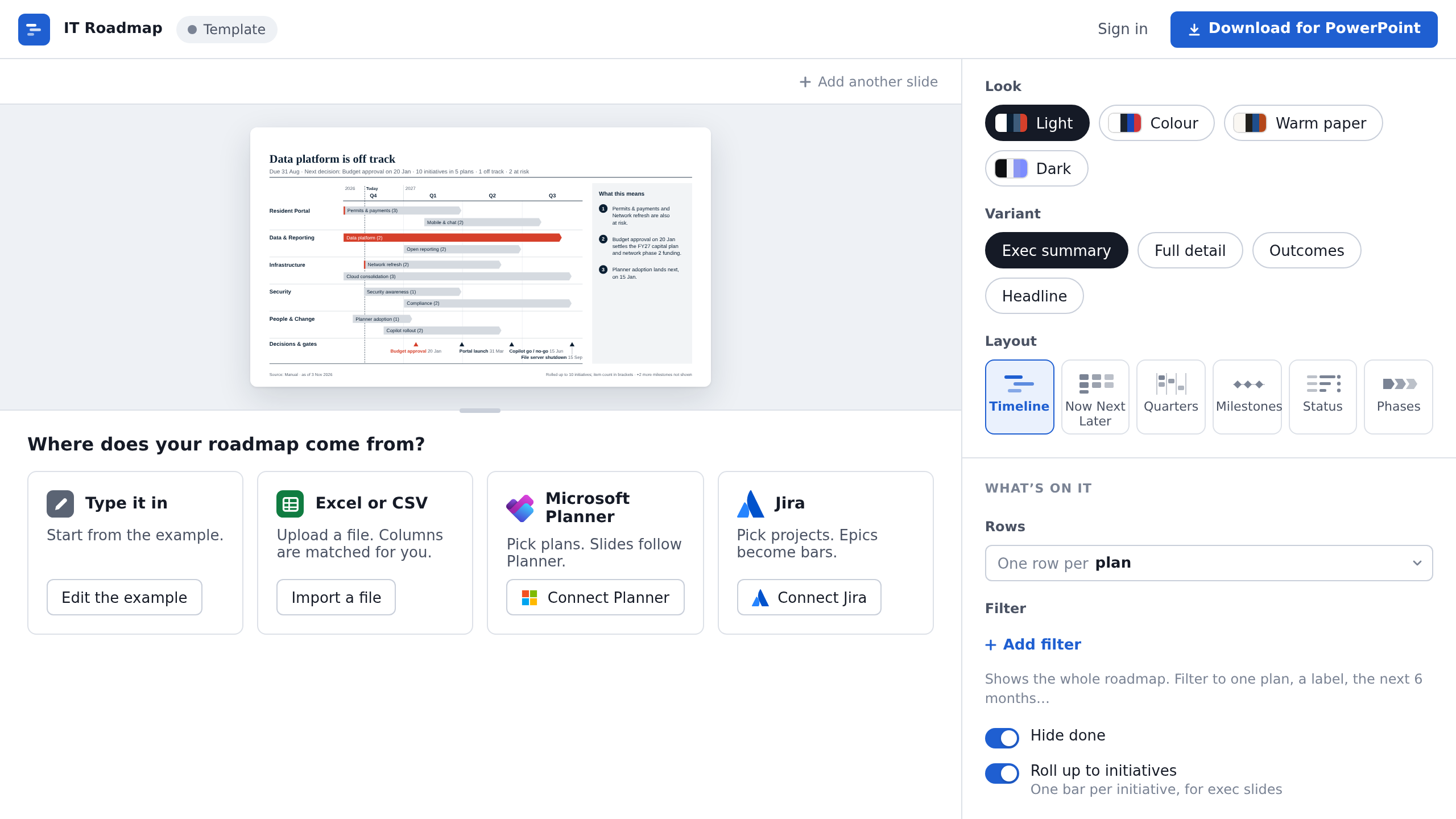
Planner access is read-only. Roadmap Slides reads the plans you can already open and reads them again so the slides stay current; nothing is written back to Planner. If your roadmap lives in a spreadsheet instead, it imports Excel or CSV and matches the columns for you.
Try it on sample data in the IT roadmap demo, no sign-in needed. Or install it from the Microsoft Marketplace listing.
Microsoft’s Planner roadmap vs a roadmap slide
| Planner Portfolios Roadmap | Roadmap Slides | |
|---|---|---|
| Plans it reads | Premium plans only | Basic and premium plans |
| License to build one | Planner and Project Plan 3 or Plan 5 | A Microsoft work account that can open the plans |
| Rows | One row per plan, fixed | One row per plan by default; rows and filters set per slide |
| Layouts | Timeline | Timeline, Now Next Later, Quarters, Milestones, Status, Phases |
| PowerPoint | No export documented | Download as editable PowerPoint |
| Teams tab | Can’t be pinned | Not a Teams tab |
| Writes to Planner | Yes, it’s Planner | No, read-only |
If your whole organization is on premium plans and the audience is people who already live in Planner, the Portfolios Roadmap is the native choice. The slide route is for the other cases: basic plans in the mix, or a roadmap that has to end up in front of leadership.
Starting from a template instead of Planner
If you don’t have plans to pull from yet, the template pages open the app with a filled-in example you can overwrite and download: the IT roadmap template, the product roadmap template and the project roadmap template.