
Pool car booking on Outlook
All your Outlook cars on one board
Your pool cars already have Outlook calendars. Pool Car Booking puts them side by side: which cars are free, who has the others, and only drivers with a valid licence can book. Bookings go through Exchange, and the car comes back with an odometer reading and photos of any new damage.
Free trial. Sign in with your Microsoft work account; the cars are equipment mailboxes in your Microsoft 365.
Built for organizations that share cars and run on Microsoft 365
- Facilities teams
- Fleet coordinators
- Field service and sales teams
- Municipalities and public agencies
Your car mailboxes, finally in one place
No new booking system to keep in step with Outlook. The car calendars stay the source of truth.
Board
Free cars for the time you need
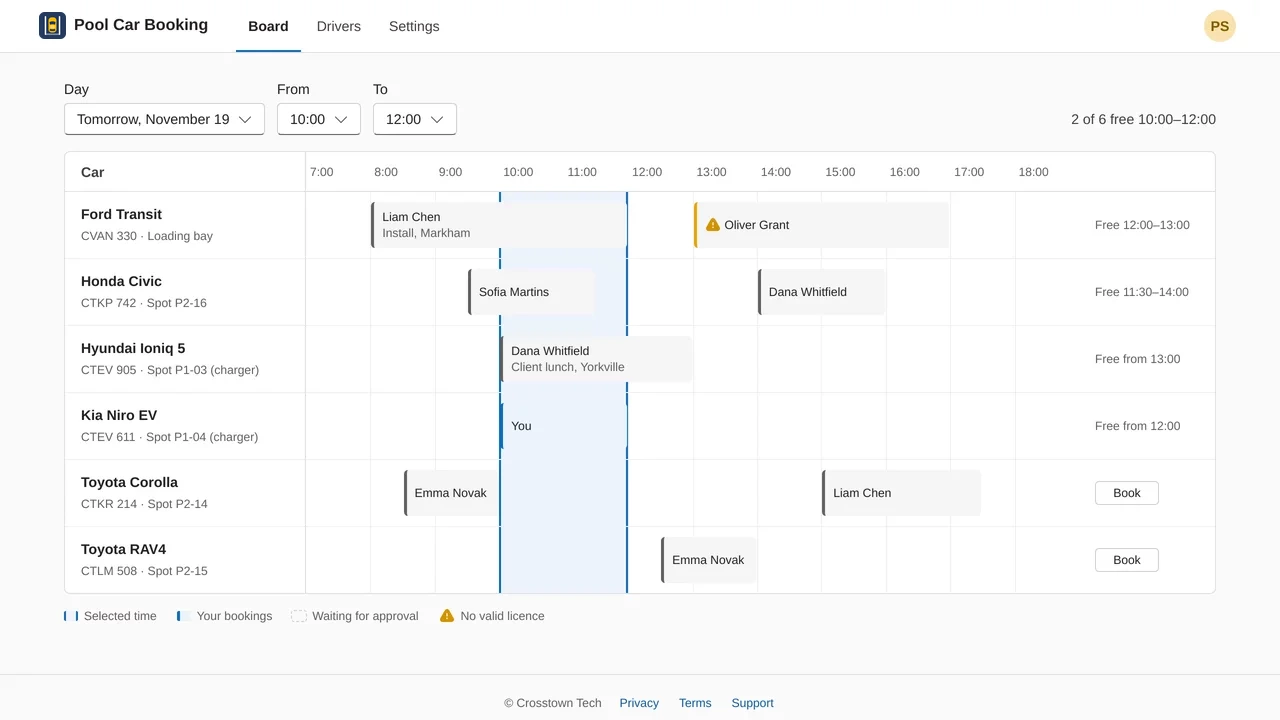
Pick a day and a time. The board shows every car's bookings with who has it, the cars that are free for that time, and when the others free up.
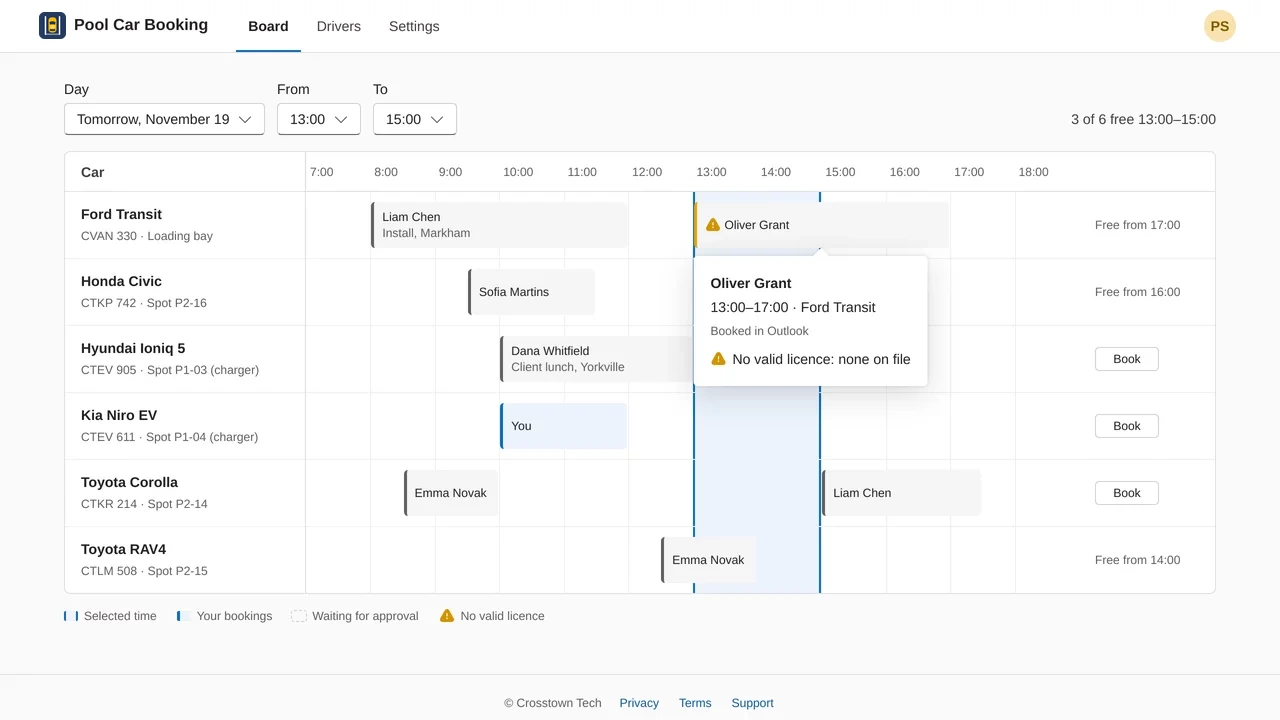
Bookings made straight in Outlook show up too, within a few minutes. Fleet admins see a warning on any booking whose driver has no valid licence.
Book
Only licensed drivers can book
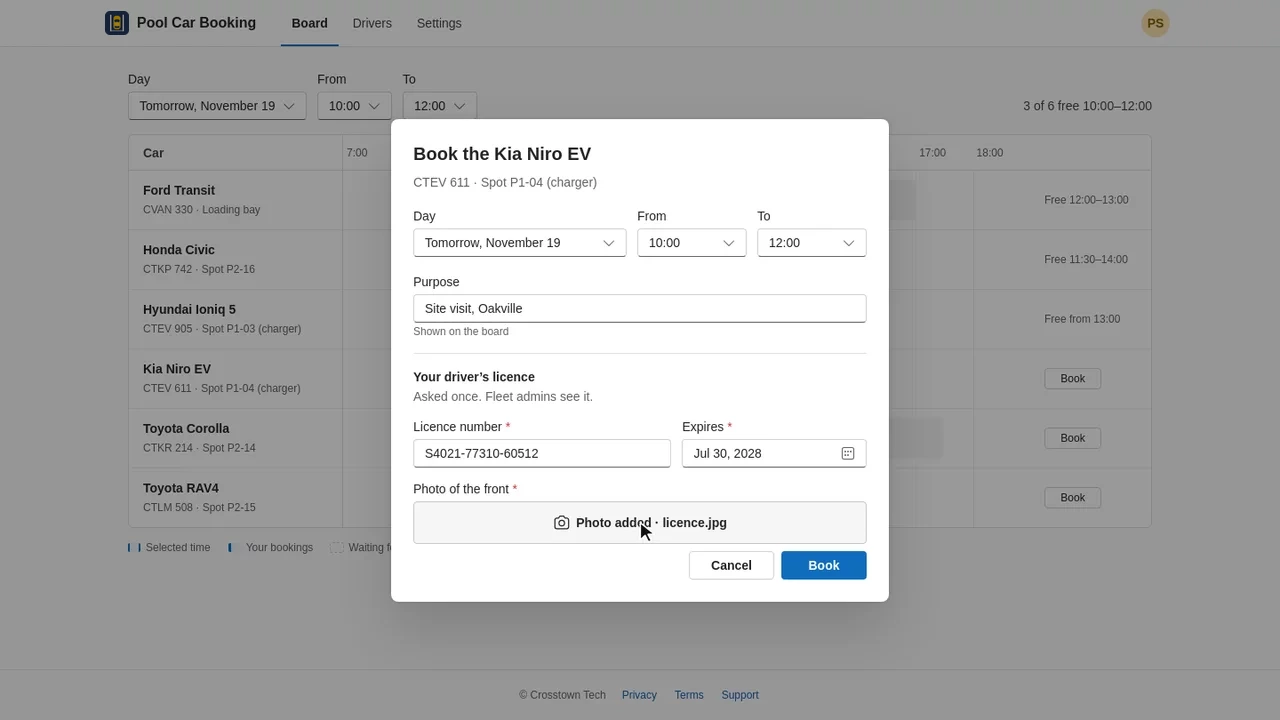
The first booking asks for the driver's licence number, expiry date and a photo of the front. After that, booking is a purpose and one click.
A licence that runs out before the trip ends stops the booking and asks for the renewed one.
Through Exchange
A real Outlook meeting, accepted by the car
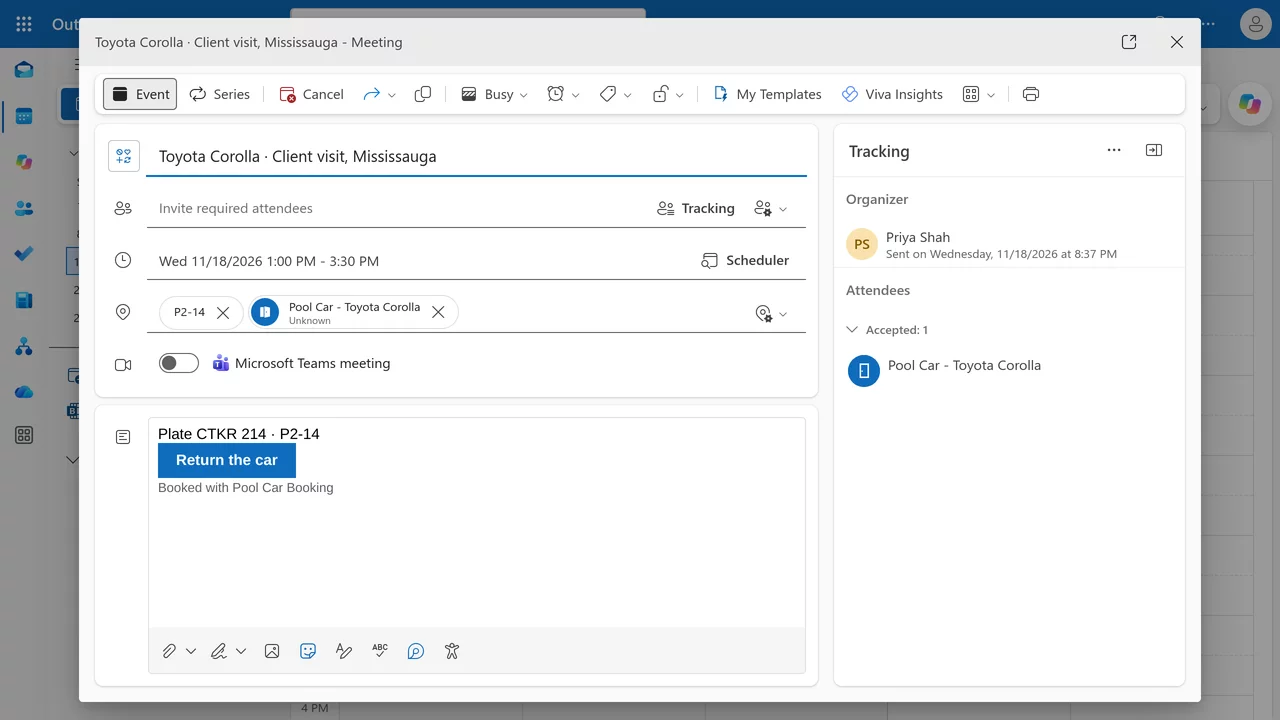
The booking is a meeting in the driver's own Outlook calendar with the car as a resource. Exchange accepts it, refuses a clash, or holds it for approval, exactly as it does today.
The meeting carries the plate, the parking spot and a Return the car button.
See it in 89 seconds
Connect Microsoft 365, pick the cars, book one with the licence check, and return it from the Outlook meeting.
Know where the cars have been
Returns, history and licences, for the people who look after the fleet.
Return the car
One form on the phone
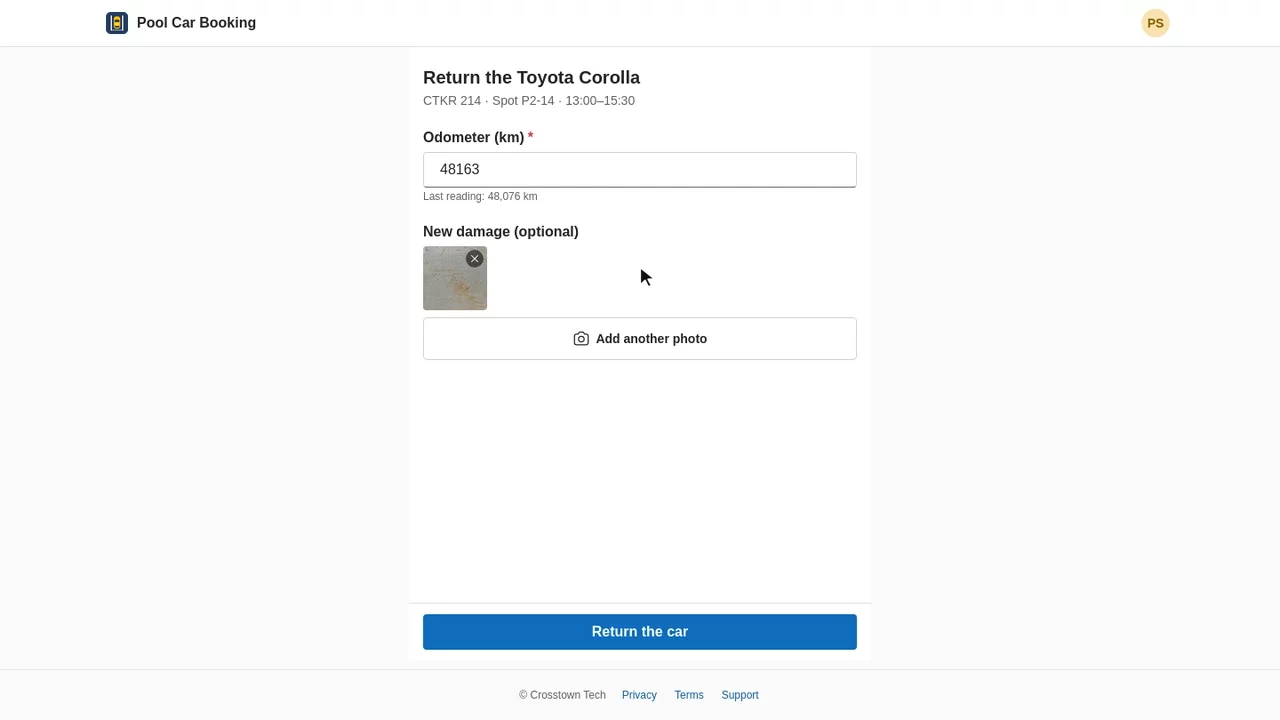
The driver opens Return the car from the meeting, types the odometer reading and adds a photo of any new damage. The app works out the distance from the last reading and refuses one that's lower.
Car history
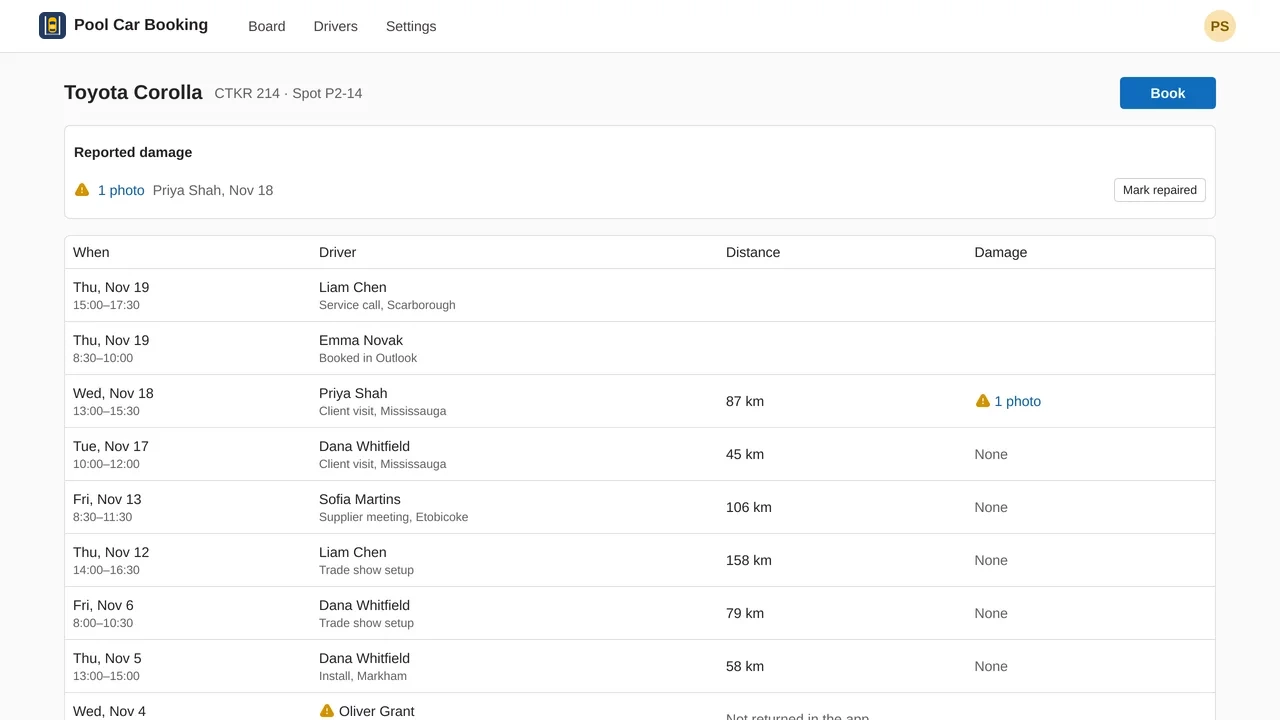
Every trip, distance and damage report
Each car lists its trips with driver, purpose and distance, including trips booked in Outlook. Reported damage stays at the top until a fleet admin marks it repaired.
Drivers
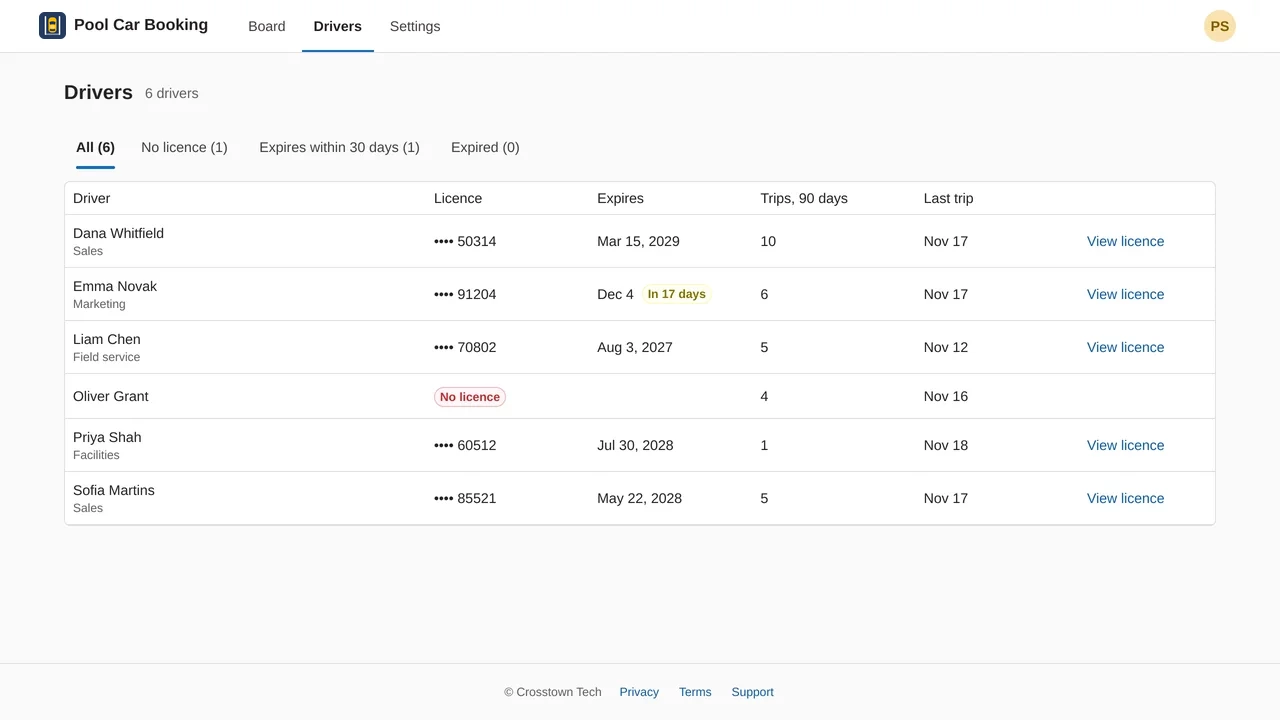
Missing and expiring licences at a glance
Fleet admins see every driver's licence, its expiry date and recent trips, with tabs for no licence, expiring within 30 days and expired. Someone who books in Outlook without a valid licence is flagged on the board.
Screenshots and video: the app in a demo Microsoft 365 organization, with sample names.
Up and running in a few minutes
- ConnectA Microsoft 365 admin signs in at cars.crosstowntech.com, selects Connect and accepts Microsoft's consent screen, once.
- Pick the carsThe app lists your equipment mailboxes. Tick the ones that are cars and select Add.
- Share the linkDrivers sign in with their work account and book from the board.
Questions
How do I book a company car in Outlook?
Each pool car is an equipment mailbox in your Microsoft 365, and a booking is an Outlook meeting with the car as a resource. Pool Car Booking shows all the car calendars on one board: pick a day and a time, see which cars are free and who has the others, and select Book. The app creates the meeting in your own Outlook calendar and the car's calendar accepts it.
Do we need to create new mailboxes?
No. The app works on the equipment mailboxes you already have, one per car. When a Microsoft 365 admin connects it, it lists them and asks which of these are cars. If you have none yet, add one equipment mailbox per car in the Exchange admin center. How.
Do bookings made straight in Outlook still count?
Yes. The car calendars stay the source of truth. A booking made in Outlook shows on the board within a few minutes, and Exchange keeps refusing double bookings and holding bookings for approval where you set that up.
How does the licence check work?
The first time someone books in the app, the booking form asks for their driver's licence number, expiry date and a photo of the front. The app refuses a booking that ends after the licence expires. A booking made in Outlook by someone without a valid licence is flagged on the board for fleet admins.
How is a car returned?
The Outlook meeting of a booking made in the app carries a Return the car button. It opens one form on the phone: the odometer reading and, if there is new damage, photos. The app works out the distance and adds the trip to the car's history.
Who has to connect it?
A Microsoft 365 Global Administrator or Privileged Role Administrator, once for the whole organization. Everyone else signs in with their work account. Someone who signs in before that gets a link to send to their admin.
Can it read people's calendars or email?
It reads only the calendars of the mailboxes added as cars, and from those only the start, end, organizer and approval state. It never reads email. Microsoft grants calendar access for the whole tenant, so your Exchange admin can limit the app to the car mailboxes with RBAC for Applications. How. What the app reads and stores.
Stop guessing which car is free
Connect Microsoft 365 once. Every car, every booking, one board.
Free trial. Questions? Contact support.