
You bought everyone ChatGPT, or Claude, or Gemini. It’s great at writing and useless at your actual work — because it doesn’t know your customers, your tickets, your docs, or last week’s sales calls. So now you’re trying to fix that, and you’re getting buried in connectors, MCP servers, “enterprise search” demos, and people telling you to build a data lake.
Here’s the thing that cuts through it: there are only three ways to get your company’s data to the AI people already use. Every setup you’ll ever evaluate is one of them. The choice was never about which chatbot you pick — it’s about how your data gets reached, what gets covered, and who governs it.
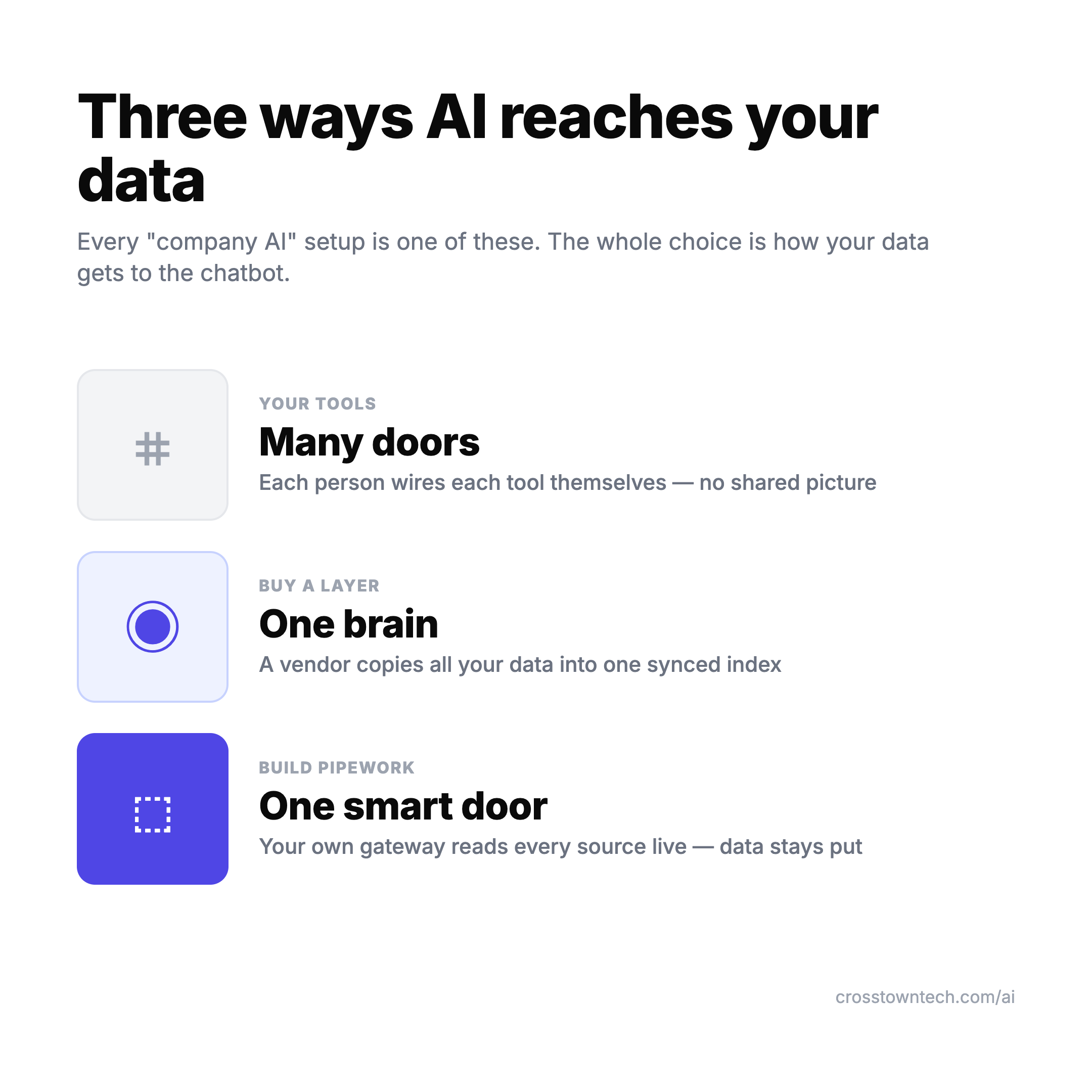
The model was never the hard part. Retrieval and permissions are. Once you see the three ways, you can stop shopping for a chatbot and start making the decision that actually matters.
Way 1: Plug into your tools (many doors)
Use the AI that’s already baked into the tools you own — Jira’s Rovo, Notion AI, the native connectors inside ChatGPT, Claude, and Gemini — or let people wire up their own MCP servers, one per source. Under the hood almost all of it is MCP, Anthropic’s open standard for letting an AI reach a tool. Each door is easy to open on its own.
Best for: quick individual wins with no IT project. One person connects their Drive and Slack and gets useful answers by lunch.
The catch: it falls apart as an org strategy. Every employee wires their own tools, so nothing is governed, nothing is consistent, and every new connector is another thing security didn’t approve — this is shadow AI with extra steps, and the fix there is the same: sanction a path rather than pretend it isn’t happening. And the “just connect a bunch of MCPs” instinct hits a hard ceiling fast. In one tested setup, 3 MCP servers — about 40 tools — ate 143K of a 200K context window (72%) before anyone asked a single question, and task accuracy dropped from 87% to 54% as the window filled with tool definitions (AgentMarketCap, 2026). More doors doesn’t mean smarter. Past a handful, it means dumber.
Way 2: Buy a layer (one brain)
Buy a platform that crawls all your sources, builds its own searchable index, keeps it synced, and mirrors each source’s permissions — then serves that one “brain” to whatever chatbot you point at it. This is Glean, Onyx, Dust, Vectara, Microsoft Copilot. It’s essentially a managed data-lake-plus-search run for you, and that management is the product.
Best for: cross-company answers, managed for you, the same for everyone. In a blind evaluation over the same data, Glean was preferred 1.9× over ChatGPT and 1.6× over Claude on correctness — because the retrieval is the part they’ve actually invested in.
What it costs: real money. Glean runs roughly $45–50/seat plus a ~$15 AI add-on, with a $50–60K/year floor and a ~100-seat minimum (pricing breakdown). Open-source Onyx is self-hostable and lands ~60–70% cheaper — Netflix and Ramp run it in production — if you have engineers to operate it.
The catch: it’s a copy. Your data lives in the vendor’s index, it’s only as fresh as the last crawl, and “100+ connectors” is breadth marketing — what matters is whether they have a deep, maintained connector for your top systems. Glean-tier tools generally don’t reach SAP, mainframes, proprietary CMSes, or legacy databases. The thing your business actually runs on is often the thing they can’t see.
Way 3: Build your own pipework (one smart door)
Build one gateway that fronts all your live sources, and point every chatbot at that single door. An MCP gateway is a control plane — routing, auth, and “which agent sees which tool” — sitting in front of many MCP servers. You integrate each source once, at the gateway, and your data stays where it lives. Off-the-shelf gateways exist: Kong, Portkey, Bifrost, Tyk, Microsoft’s MCP Gateway.
Best for: full control, vendor-neutral, exactly your way. You decide what’s wired and what isn’t, and you’re not locked to one chatbot.
Two things people get wrong here. First, use MCP — don’t hand-build standalone connectors. Writing custom API integrations is a dead end; MCP makes them reusable, governable, and auditable, which is why OpenAI deprecated its Assistants API in favor of MCP. Second, an agent isn’t an alternative to MCP — the agent sits on top of it for multi-step logic, but it still reaches data through MCP. Build the agent only when you need orchestration; you need the access layer regardless.
The catch: you own retrieval quality, permissions, and upkeep. That’s real engineering, not a purchase order.
Do you need a data lake?
Usually no. A data lake or warehouse is for historical, structured, analytics data — loaded by ETL, queried for reporting. That’s a different axis from “make the assistant know our stuff,” which is about live operational context. The clean rule: warehouse for historical analytics, MCP for live operational context — they complement, they don’t compete.
If you build pipework, a lake is just one more source you wire in as an upstream MCP server, and only at warehouse scale. For most small and mid-size teams trying to make AI useful, skip it. You don’t need a lake to give a chatbot your Drive and your CRM.
The part nobody markets
Whichever way you go, the wiring is the easy part. What you connect, keeping it fresh, and getting permissions right is the hard part — and the MCP-overload collapse above proves even the connection method has a quality ceiling.
This matches what practitioners keep finding: most RAG failures live in the retrieval layer, not the model. The fix is to treat it like engineering — invest in data quality, observability, and identity-aware retrieval so the AI only ever sees what the person asking is allowed to see. “RAG is dead” was wrong; it didn’t die, it got absorbed into infrastructure (Moveworks, 2026). The chatbot on top is the commodity. The plumbing underneath is the work.
So which one should you pick?
There’s no single winner, and that’s the honest answer — the market splits across all three (Atlan, 2026). Small or privacy-bound teams stay local and plug into tools. Mid-market mostly buys a layer because they don’t want to staff it. Large enterprises build, because coverage and control are worth the headcount. A rough rule:
- Just getting started, or one team: plug into your tools. Keep it to a few sources so you don’t hit the overload ceiling.
- Whole company needs the same answers, and you’d rather pay than staff it: buy a layer. Budget for the floor, and check it actually reaches your top systems before signing.
- You have engineers, weird internal systems, or you refuse to lock into one vendor: build the pipework with an MCP gateway.
And the mature setups? They do more than one — index the shared, stable knowledge and read the sensitive or fast-changing stuff live (Moveworks, 2026). Even the native tools are converging on this: ChatGPT’s Company Knowledge now offers both live and synced connectors, and Gemini’s Workspace Intelligence is continuous real-time indexing. The architecture debate is settling. The decision left to you is buy-versus-build, coverage, and governance.
FAQ
Do the built-in ChatGPT/Claude/Gemini connectors index my data or read it live? Increasingly both. ChatGPT’s Company Knowledge has chat connectors (read live, slower, content stays in the source) and sync connectors (pull and index for speed). Gemini’s Workspace Intelligence is continuous indexing. The old “native = live, Glean = indexed” line has blurred — what separates the options now is coverage and who manages it.
Is Glean worth it over just using ChatGPT Enterprise? If you need answers across many systems with permissions handled for you, the retrieval quality is the reason to pay — Glean was preferred 1.9× over ChatGPT on the same data. If your needs sit inside one or two tools you already own, the native connectors may be enough. The deciding question is coverage, not the chatbot.
Can I just connect a lot of MCP servers and be done? Not at scale. Tool definitions eat your context window and accuracy drops as the count climbs — 87% to 54% in one tested setup. Past a handful of sources you want a curated gateway or a bought layer, not 20 raw connectors per person.
Do I need a data lake to make AI know my company? No, not for operational context. A lake is for historical, structured analytics. Wire your live sources (Drive, CRM, call transcripts) through connectors or an MCP gateway, and add the lake only if you’re already at warehouse scale.
That’s the whole landscape: three ways, and a hard part that lives underneath all of them. If you’re the kind of person who’d rather build than buy, the no-platform version of this — running your work through a single AI setup over a folder of plain files — is the sibling piece: Agent Workspace.
I write one of these a week on making AI actually work inside a company — the real architecture, the real costs, the parts the vendors skip.